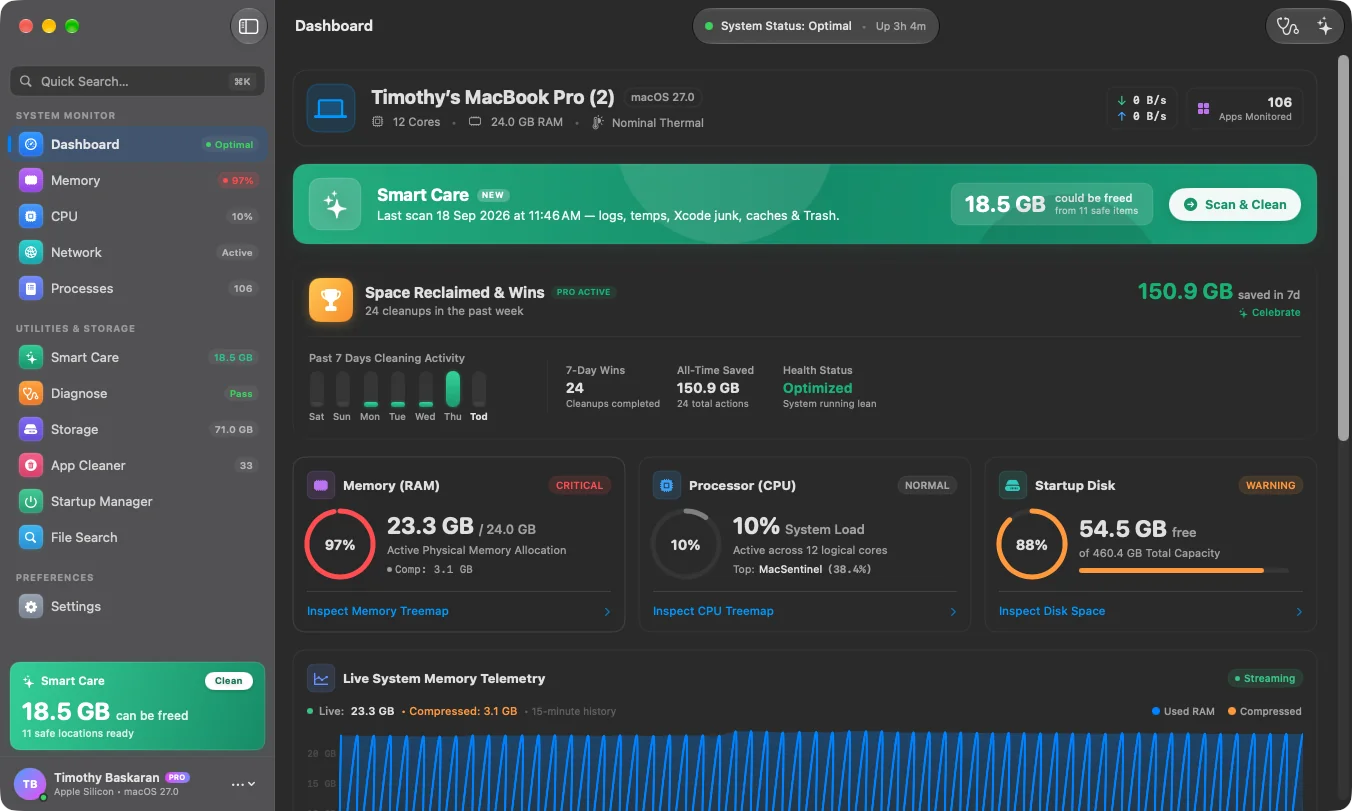


Every macOS monitoring tool on the market makes the same architectural compromise: ship a cross-platform UI and accept a Chromium Embedded Framework alongside it. The result is a utility that reports accurately while quietly consuming more memory than half the applications it is supposed to be watching. When the team behind MacSentinel came to us, the brief was not “build a cleaner.” It was: build something that a developer would keep open all day and never have to think about.
The Problem With Measuring a Mac
The technical blocker was measurement itself. Most process monitors report virtual memory — the address space a process reserves — which on macOS is effectively fiction. A single Chrome helper process will cheerfully claim hundreds of gigabytes of virtual size while occupying a fraction of that in physical RAM. A tool that surfaces VSIZE as “memory used” is not slow, it is lying, and power users can tell within seconds.
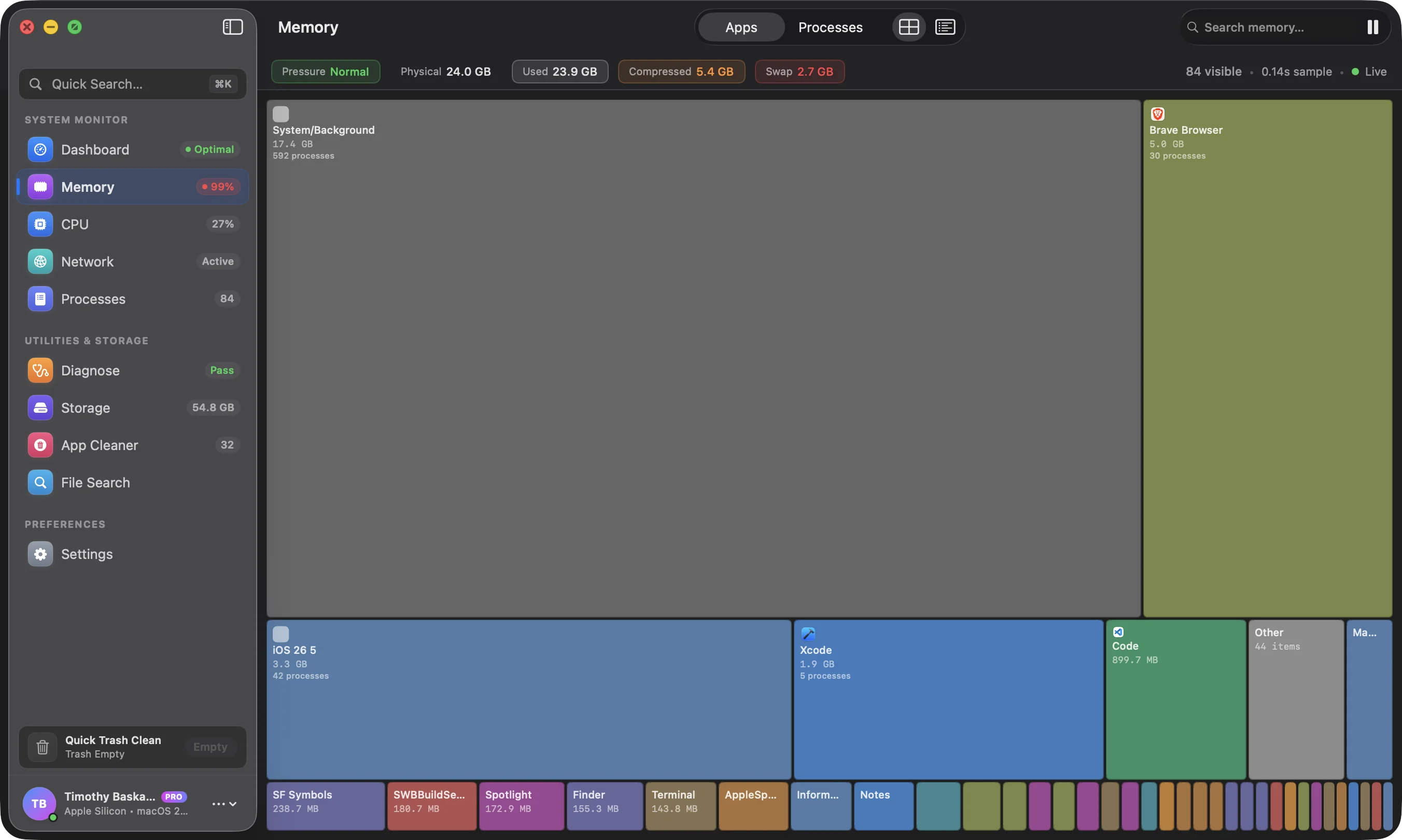
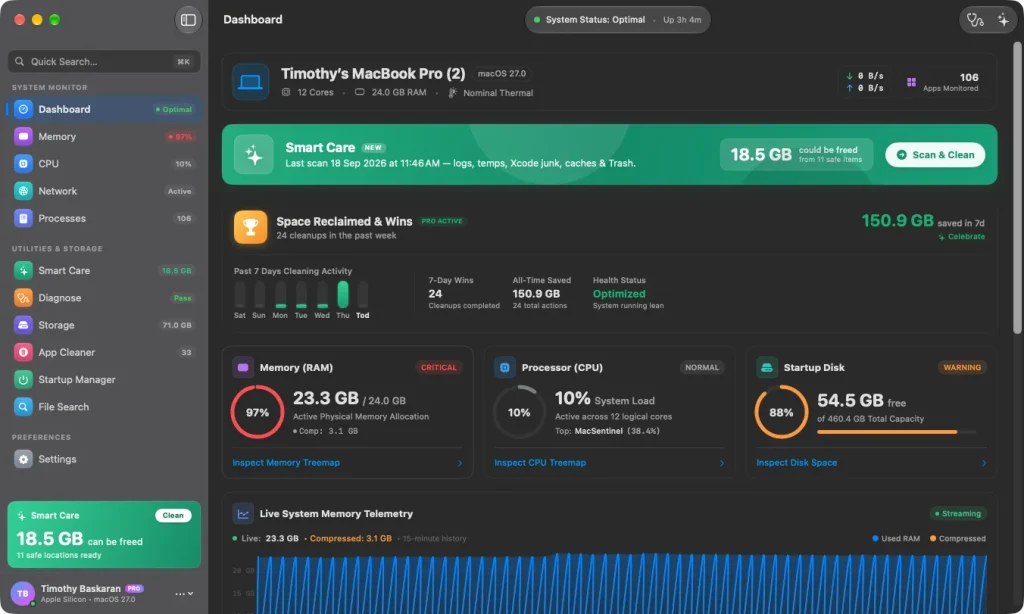
MacSentinel reads physical resident set size directly from the Mach kernel and renders it as a live treemap, where the area of every rectangle is proportional to the actual physical memory a process holds. Multi-process stacks — Xcode, Chrome, Docker — are clustered so you can see which parent is responsible for which child instead of scrolling a flat list of four hundred PIDs. The layout algorithm is a squarified treemap, chosen specifically because it keeps aspect ratios near-square and makes large-versus-small comparisons immediate rather than arithmetic.
Why We Rejected Electron
The central architectural decision was refusing the default. A native Swift and SwiftUI/AppKit binary was specified over any cross-platform shell, for reasons that are easy to state and hard to walk back once shipped:
- No CEF runtime. Nothing ships that the user did not ask to install, and there is no second copy of a browser engine competing for the memory the tool exists to measure.
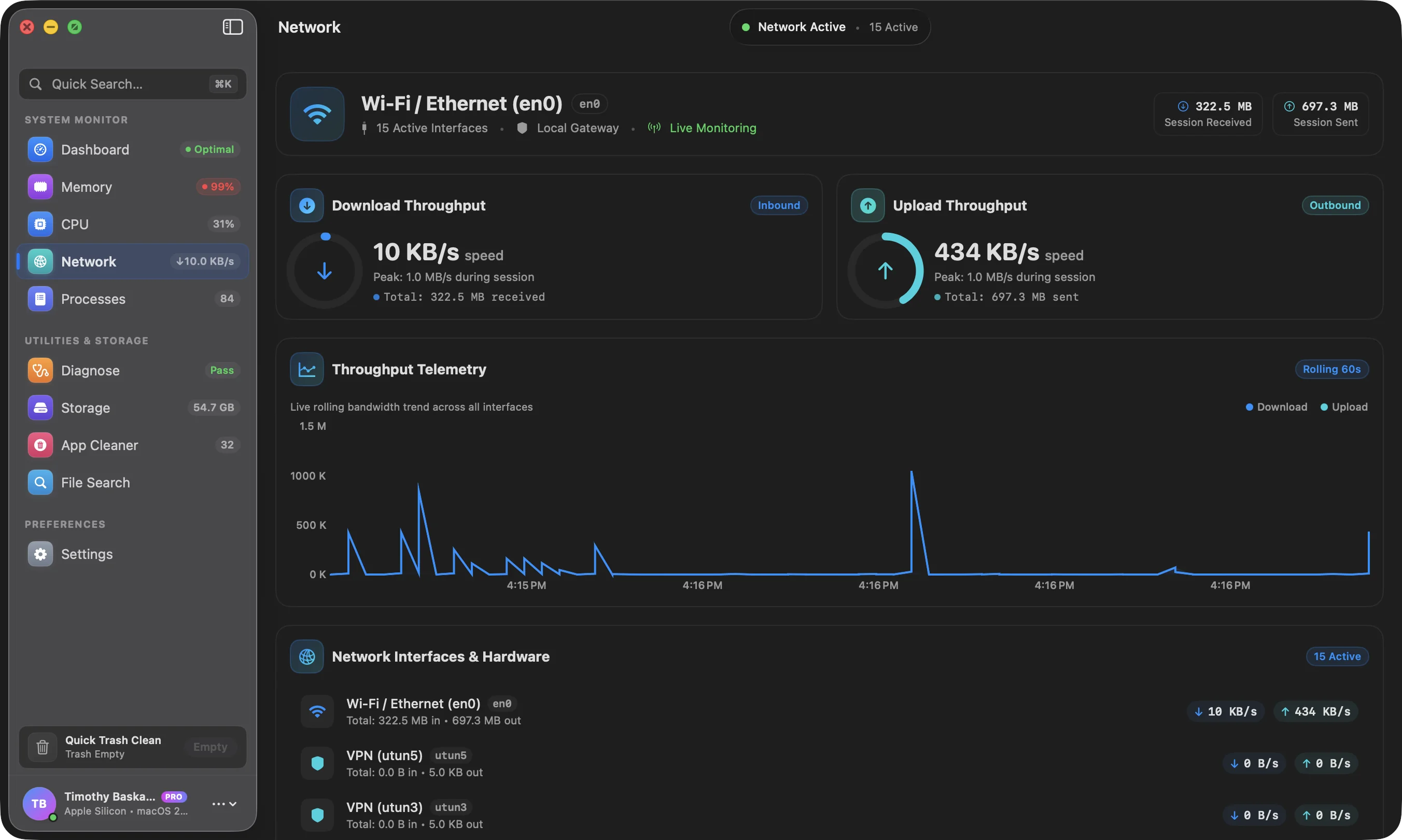
- Direct access to Mach APIs. Per-core performance and efficiency cluster telemetry, thread-level microsecond deltas, and per-PID socket attribution are all reachable from native APIs. Through an abstraction layer they are not.
- A universal binary. One build covers both Apple Silicon and Intel Macs, so the release pipeline produces a single artifact rather than maintaining parallel tracks.
- Native window behaviour. Menu bar companion, live resize, and high-frequency redraw all behave the way a Mac user expects, because they are AppKit views rather than a web view pretending.
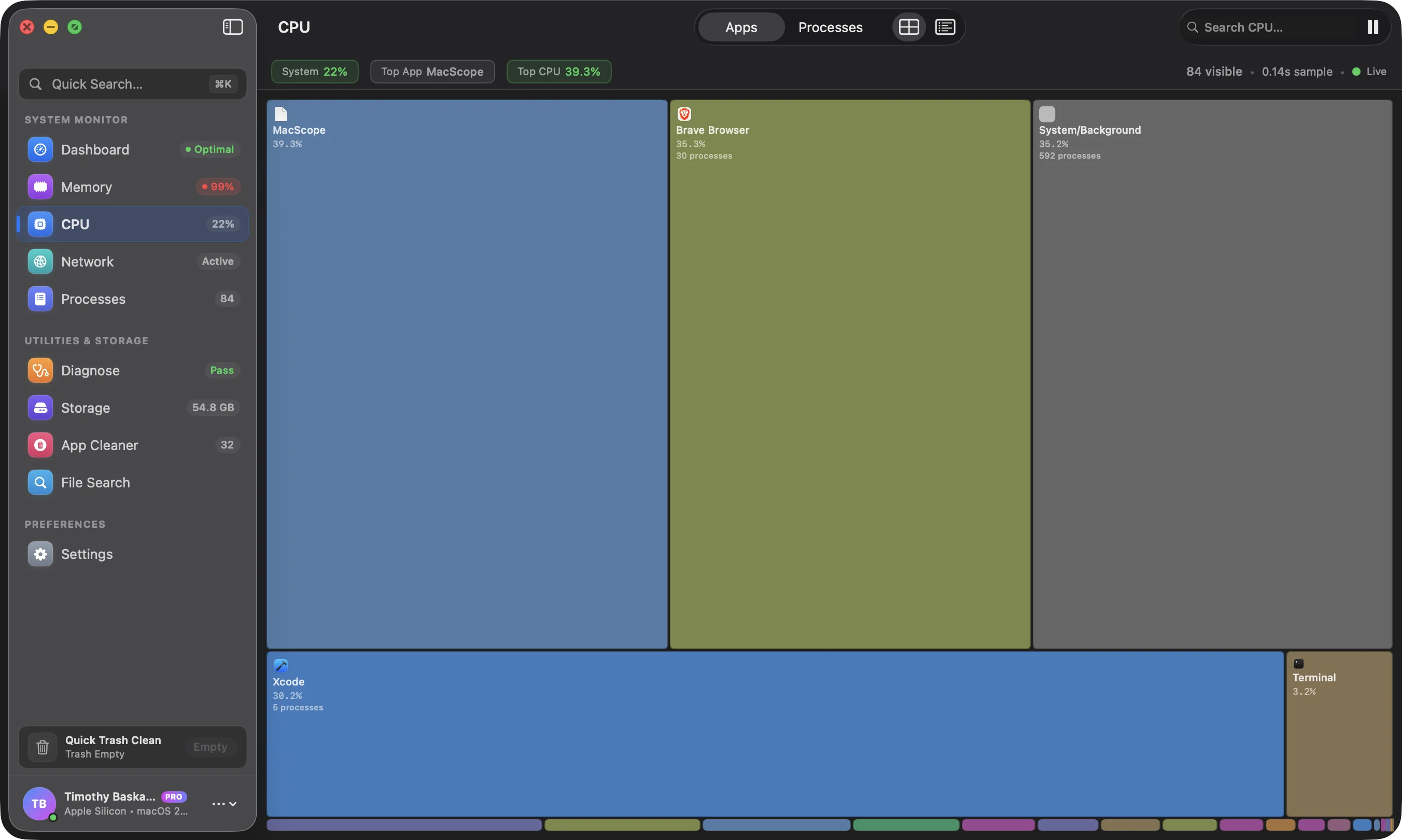
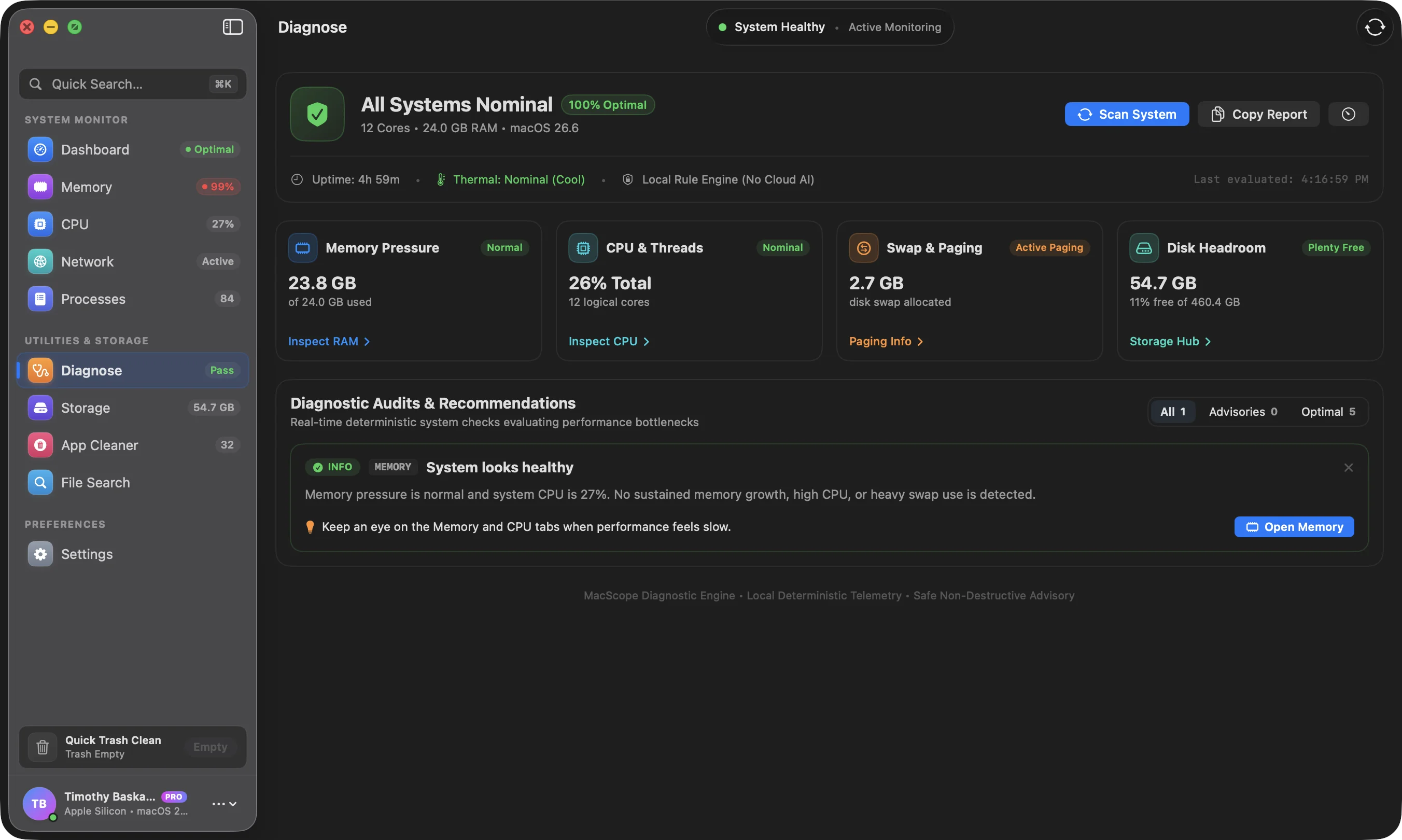
Apple Silicon’s asymmetric core clusters shaped the design directly. Performance and efficiency cores do not degrade the same way, and averaging them into a single CPU figure hides exactly the thermal and scheduling behaviour the tool exists to reveal. MacSentinel tracks the two clusters separately at thread level, which is how lock contention and thermal throttling become visible before they become a problem.
Storage Analysis Without the Terminal
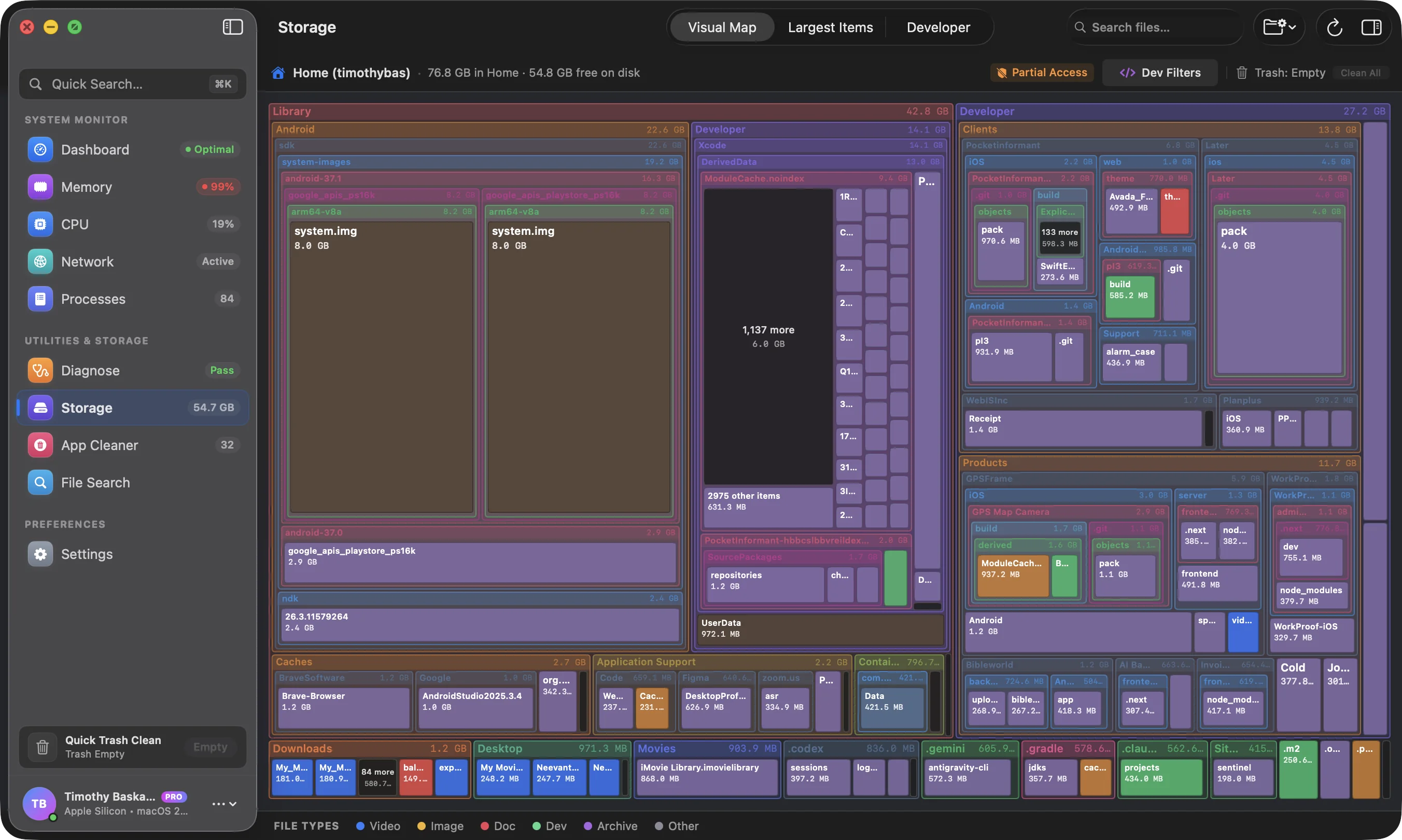
The second half of the product solves the problem developers otherwise solve by remembering du -sh incantations. MacSentinel walks APFS directory hierarchies directly and renders them as nested proportional rectangles, with breadcrumbs, a node inspector, and a toggle between largest files and largest folders. The traversal is the performance-critical path: the structure is held in a deliberately compact node representation and aggregated bottom-up through a reversed array, so a full local scan completes fast enough to feel live rather than batched. A minimum-area threshold suppresses micro-rectangles in pathological directories so the map stays readable instead of turning into noise.
Cleanup That Cannot Destroy Your Work
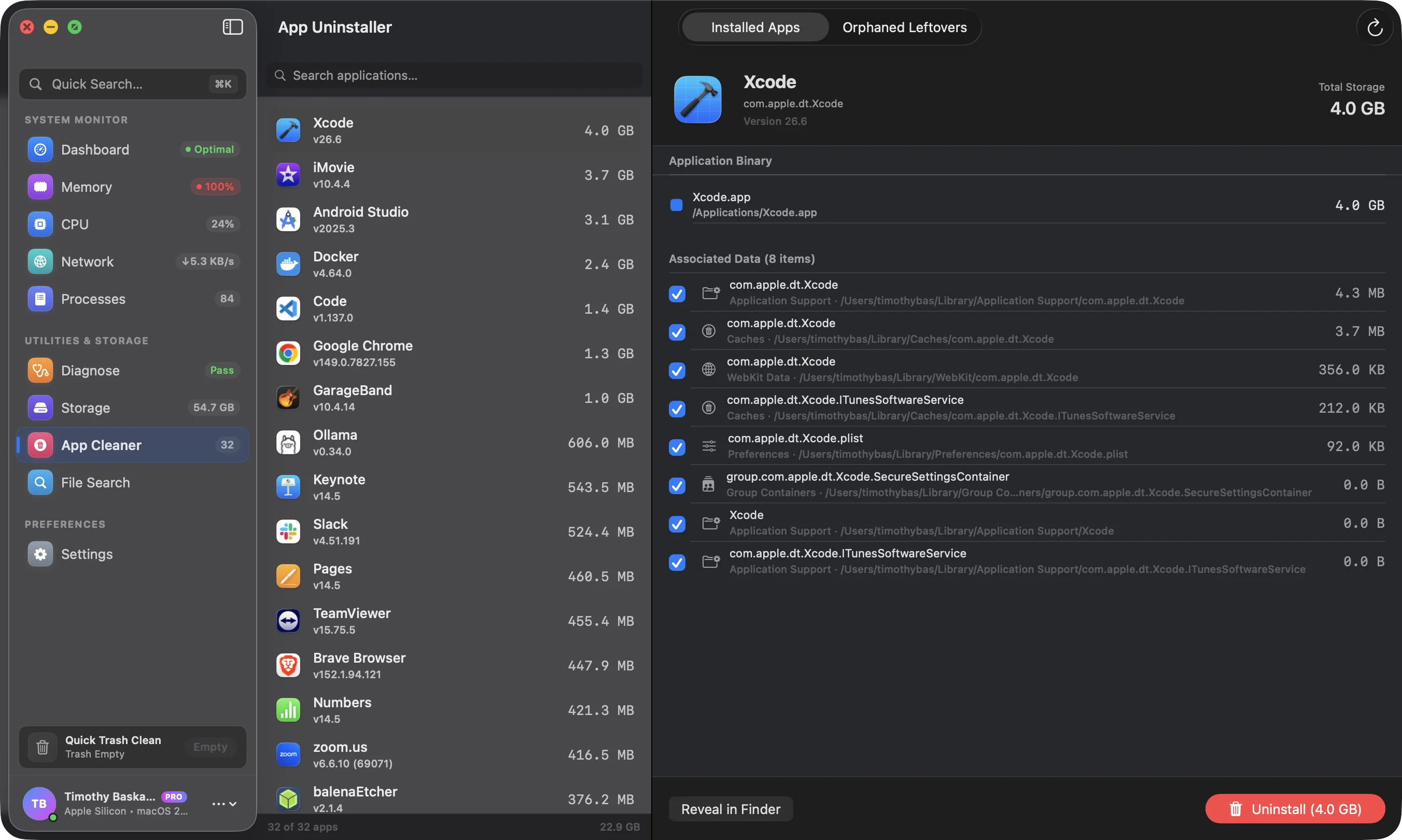
The Smart Care engine scans a broad catalogue of application categories, from Xcode derived data and Docker layer caches to Final Cut render caches, JetBrains indexes, local model weights, and package manager caches. The safety model is the part that mattered most in review.
- Trash-first, never
rm -rf. Every deletion is staged into the macOS Trash so it remains recoverable. There is no code path that unlinks a user’s file permanently. - Explicit allowlist of protected paths. Documents, Desktop, and personal archives are out of scope by construction, not by configuration that could be mis-set.
- Users can pin caches to preserve. Custom ignore lists mean a developer who needs a specific build cache can protect it permanently.
- Nothing runs in the background. No launch daemons, no kernel extensions, no privileged helpers. The app is sandboxed, user-space only, and does work when you ask it to.
That last point is a product philosophy as much as a security constraint. A utility that installs itself as a background service to watch you is a liability on a locked-down corporate machine. MacSentinel runs on demand, which is also why it can claim a sandbox entitlement without an escape hatch.
Shipping It Legitimately
Distribution was treated as part of the product rather than an afterthought. The release pipeline is a single scripted command that compiles the universal binary, applies Developer ID signing with hardened runtime and a secure timestamp, builds and signs the disk image, submits it for Apple notarization, staples the offline ticket, signs the Sparkle appcast with Ed25519, and uploads to a Cloudflare R2 bucket before purging the edge cache. Sparkle handles in-app updates against that signed feed, so an update is a verified artefact rather than an untrusted download.
A Homebrew cask was published alongside the direct disk image, and a Product Hunt launch gave the product an independent discovery surface. Commercial licensing runs through LemonSqueezy as merchant of record, which keeps VAT and regional tax handling out of the codebase, with self-serve seat management in-app.
The Marketing Site
The public site at sentinel.digital was built as a Next.js application on the same stack we run for clients: a FastAPI service backed by PostgreSQL and Redis behind Nginx, with licence activation, release notes, and webhooks served from the same origin. The product ships a free tier with the full diagnostic and scanning capability, and a paid tier that unlocks one-click remediation, so the free version is genuinely useful rather than a trial. Documentation is extensive and written from the engineering side, covering the Mach-level behaviour the tool is built on.
Outcome
MacSentinel is a fully notarized, auto-updating native macOS application with a free tier, a one-time-licence paid tier, and a marketing and licensing site behind it. It ships from a Homebrew cask, a signed CDN download, and Product Hunt, and it is signed by Apple under our Developer ID — the same team that built it.
TECH STACK
Project Gallery